


December is when good verification habits are the most likely to get skipped. Half the team is traveling or out of the office. Year-end invoices are piling up. Inboxes and phones are full of perfectly legitimate shipping updates, party invitations, and bonus announcements, which is exactly the cover scammers want. A fake message doesn’t have to be convincing when real ones look just like it.
The good news is that holiday scams are a small, predictable set, which makes them one of the easiest things to prepare employees for. A ten-minute heads-up now can prevent the kind of mistake that’s hardest to undo. Here’s what to warn your team about, and how to make the defense simple enough that people actually use it.
What Holiday Scams Should You Warn Employees About?
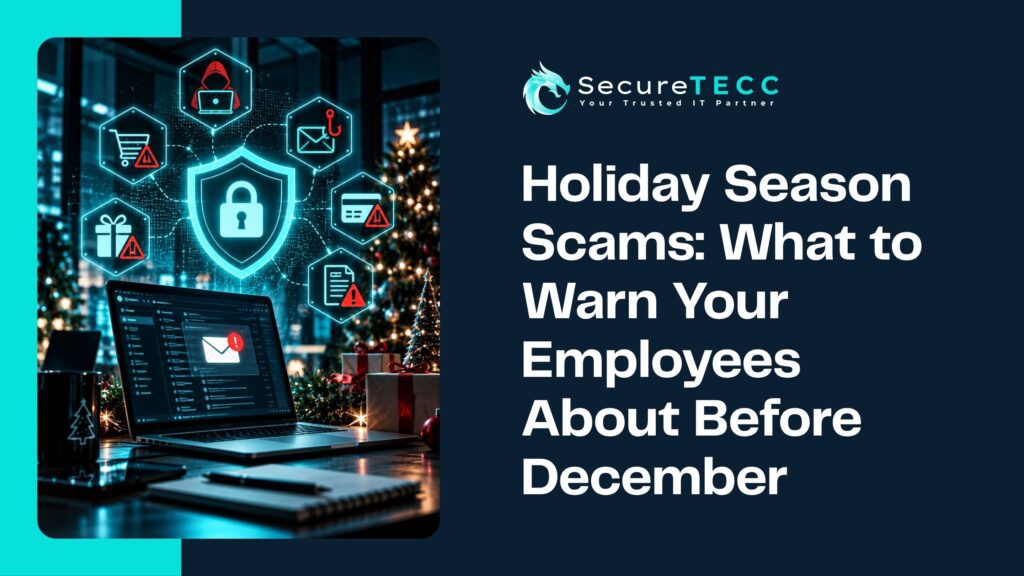
Warn employees about the scams that thrive in the holiday rush: fake delivery notices, gift card requests from a “boss,” bonus or payroll phishing, year-end invoice and payment-change fraud, fake charity appeals, and malicious e-cards or QR codes. The simple defense is the same for all of them: pause and verify through a separate, known channel.
Why Do Scammers Target the Holiday Season?
Because the season hands them cover and urgency at the same time. Shopping, shipping, charitable giving, and end-of-year financial activity all surge together, and the FBI notes that holiday scams typically involve criminals posing as trusted companies or contacts to steal credentials, personal information, or money. Impersonation is also the engine behind most fraud generally. In testimony to Congress in March 2026, the FTC reported that imposter scams were again the most frequently reported fraud category, with more than a million reports and over $3.5 billion in reported losses in 2025. Those figures cover the whole year and all consumers, not just the holidays, but they show how much of fraud comes down to someone pretending to be someone else.
What Is the Fake “Boss Needs Gift Cards” Request?
A message arrives that looks like it’s from an executive or manager: “I’m in meetings all day, can you pick up gift cards for clients? I’ll reimburse you.” The tone is casual, the deadline is urgent, and the request asks for secrecy. The holidays make it more believable, since client and employee gifts are common. The rule to give employees is simple: no legitimate request for gift cards arrives by email or text without a phone call or in-person confirmation, no matter whose name is on it.
How Do Fake Delivery Notices Work?
With so many legitimate packages in motion, a message claiming a delivery problem barely registers as unusual. The text or email says a package is delayed, an address needs confirming, or a small redelivery fee is due, and the link leads to a fake login or payment page. Tell employees to skip the link entirely: go to the carrier’s official website or app and enter the tracking number there. This matters at work, too, because many people receive shipments or use work phones and email for personal shopping.
Why Are Bonus, PTO, and Payroll Messages a Risk?
Year-end brings real HR communications about bonuses, time off, and benefits, and scammers imitate them closely. Security researchers at Cofense have highlighted HR-themed phishing about PTO, bonuses, and reviews as a holiday-season staple. A message asking an employee to “log in to see your bonus” or “confirm your direct deposit details” is designed to capture credentials. The safe habit: open HR and payroll systems by typing the address or using a saved bookmark, never through a link in a message.
What Is Year-End Invoice and Payment-Change Fraud?
This one hits the finance side, and it’s the costliest. During year-end closing, bookkeepers and accounts payable staff process more invoices than usual, often with leadership out of the office. A fraudster impersonates a vendor and sends “updated banking details,” or sends a fake invoice that looks like a routine renewal. Two controls stop most of it: confirm any change to payment details by calling the vendor on a number you already have on file, and require a second person to approve payments above a set amount. Local police advising businesses this month recommended exactly that kind of second-person approval to reduce unauthorized transfers.
What About Fake Charities, E-Cards, and QR Codes?
- Fake charity appeals: Giving surges in December, and scammers exploit it. Employees should donate through organizations they’ve independently verified, and your company should vet any giving campaign before promoting it internally.
- Holiday e-cards and party invitations: A “festive” email from an unknown sender, or an unexpected shared document, can carry malware or lead to a credential-stealing page. If you weren’t expecting it, confirm with the sender first.
- QR codes: A code on a flyer, in an email, or on a “package problem” notice can lead somewhere malicious. Treat scanning a QR code like clicking a link.
What Should You Tell Employees? A Short Briefing You Can Send
The most effective guidance is short enough to remember. Here’s a version you can adapt for an all-staff email:
- Pause on anything urgent. Pressure to act fast is the scammer’s main tool.
- Verify through a different channel. Call the person or company using a number you already have, not one in the message.
- Never buy gift cards or change payment details based on an email or text.
- Don’t click delivery, HR, or bonus links. Go directly to the official site or app.
- Report anything suspicious right away, even if you already clicked. Nobody will be in trouble for speaking up.
How Do You Keep Defenses Strong When Half the Team Is Away?
Thin staffing is itself a risk, so plan for it. Make sure employees know exactly who to contact about a suspicious message over the holidays, and that someone is actually reachable. Confirm who has authority to approve payments when leaders are out, so an “urgent” request can’t exploit the gap. Check that multi-factor authentication is on for email and finance systems, since it limits the damage if a password does get captured. And remind everyone that reporting a mistake quickly is far better than hiding it.
What Might This Look Like at a Real Company?
Picture a 20-person company in the last week of December. The owner is traveling, and the bookkeeper receives an email, apparently from her, asking her to buy several gift cards for key clients and send the codes by reply. It’s rushed, polite, and plausible. Because the company has a standing rule that gift card and payment requests get confirmed by phone, she calls the owner’s mobile before doing anything. The owner never sent it. The whole exchange took two minutes, and it was possible only because a verification rule existed before the pressure did.
How SecureTECC Can Help
SecureTECC’s Cybersecurity services pair technical protections like email security, multi-factor authentication, and real-time threat monitoring with employee awareness support, and our 24/7 Help Desk gives staff somewhere to report something suspicious even when the office is quiet. Seasonal awareness works best as part of an ongoing habit, not a once-a-year email, but a timely reminder before December is a good place to start.
Frequently Asked Questions
When should we send a holiday scam warning to employees?
Before the shopping and year-end rush gets going, ideally by mid-November, with a short reminder just before the last weeks of December when staffing is thinnest and requests feel most urgent.
Do holiday scams really target businesses, or just consumers?
Both. Fake gift card requests, payment-change fraud, and HR-themed phishing are aimed squarely at employees and finance staff, and consumer-style scams like delivery texts reach people on work phones and accounts as well.
Should employees avoid shopping on work devices?
It’s a sound policy. Personal shopping on work computers and phones exposes company accounts to fake stores and malicious links, and reusing passwords across retail sites can put work credentials at risk.
What should an employee do if they already clicked a suspicious link?
Report it immediately to IT or your security provider, and change the password for any account they may have entered, starting with email. Speed matters far more than embarrassment, which is why a no-blame reporting culture is so valuable.
Where can we report holiday scams?
For fraud, the FTC accepts reports at ReportFraud.ftc.gov, and cybercrime can be reported to the FBI’s Internet Crime Complaint Center. If money was lost, contact your bank right away as well.
The Bottom Line
Holiday scams work because they blend in with a season full of real messages, and because the people who’d normally double-check are busy or away. A short briefing, one simple verification rule, and a clear way to report anything odd are enough to blunt most of them.
Want help turning this into a quick team briefing or checking your email protections before the rush? Reach out to SecureTECC Solutions for a free consultation, no pressure, no obligation.
SecureTECC Solutions supports small businesses across Ventura County, Los Angeles and Santa Barbara counties.