


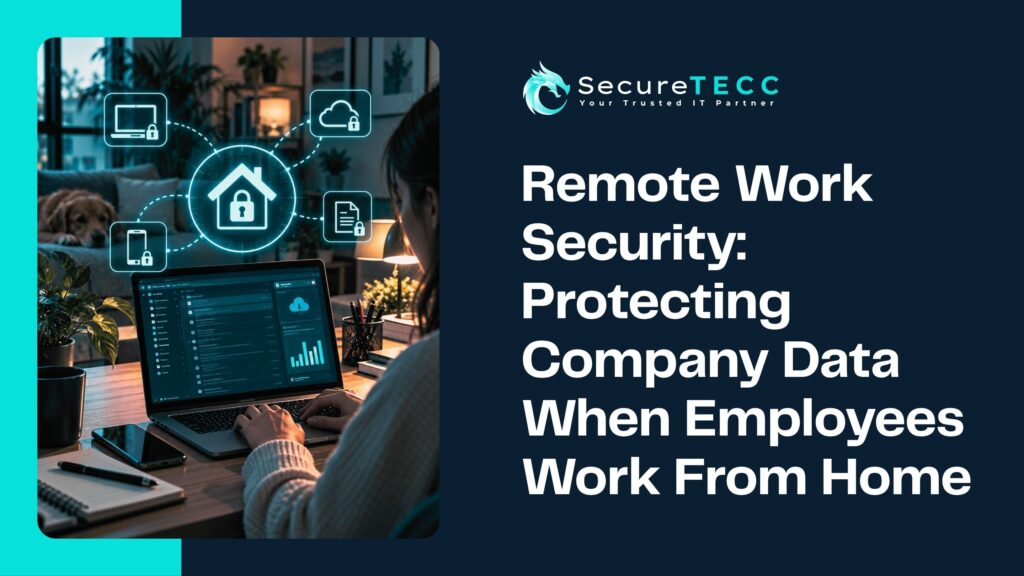
TL;DR: Remote work doesn’t require a new kind of security, just a shift in where you focus it: on who is signing in, what they’re signing in from, how they connect, and what they can reach. Cover those four, write down the rules, and make reporting easy, and you can support remote work without leaving the door open.
Your office has a locked door, an updated network, and equipment you chose. An employee’s home office has a router nobody has updated in years, a teenager’s gaming console on the same Wi-Fi, and possibly a laptop that doubles as the family computer. The company data is the same. The protection around it can be very different.
Remote and hybrid work isn’t going away, and for most small businesses it shouldn’t have to. But it does change what “secure” means. The old model of protecting a single office network doesn’t cover people working from kitchens, coffee shops, and airports. Here’s a practical way to think about securing remote work, without turning every employee’s day into an obstacle course.
How Do You Protect Company Data When Employees Work From Home?
To protect company data when employees work from home, secure four things: how they sign in (multi-factor authentication), what they sign in from (managed, encrypted, updated devices with endpoint protection), how they connect (a properly secured VPN or similar remote access), and what they can reach (least-privilege access). Clear policies and training tie it together.
Why Is Remote Work a Different Security Problem?
Because the walls moved. In an office, you control the network, the devices, and who walks in. Remotely, people connect over networks you don’t manage, on devices that may be shared, using accounts that attackers can try to reach from anywhere. That shifts the center of security away from the building and toward identity, devices, and access.
Current attack data fits that shift. Sophos’s State of Ransomware 2026 report, a survey of 2,158 IT and security leaders whose organizations were hit in the past year, found that malicious email and phishing accounted for half of all incidents, and close to eight in ten attacks began with an identity-based move, meaning a stolen credential or one already taken. Among attacks that started with a stolen login, software flaw, or brute force, exposed internet-facing applications were the most common way in. Multi-factor authentication was in place in nearly every credential-based attack, but gaps and bypass methods let attackers through anyway. (Sophos commissioned the survey and sells security products, and the respondents span organizations of all sizes, so treat it as strong direction rather than a measure of any one business.)
The lesson for remote work: the front door is now someone’s login, so protect it well and close the gaps around it.
Who Is Signing In? Start With Identity
Multi-factor authentication is the single most important control, but the Sophos finding is a reminder that “we turned it on” isn’t the same as “it’s covering everything.” Check that it applies to every way into your systems: email, VPN, cloud apps, and administrator accounts, with no older sign-in methods left open that skip it. Prefer authenticator apps or hardware keys over text-message codes, and be aware that attackers sometimes flood users with approval prompts hoping for an accidental tap. A password manager helps too, since it eliminates reused passwords and discourages people from saving work logins in a browser on a personal device.
What Are They Signing In From? Secure the Device
The safest setup is company-managed laptops, because you can enforce the settings that matter. Many small businesses allow personal devices as well, and that’s workable if you set a minimum standard before granting access:
- Full-disk encryption, so a lost or stolen laptop doesn’t expose company files
- Automatic updates for the operating system and applications
- Endpoint protection that watches for suspicious behavior, not just known malware
- A screen lock and strong sign-in on every device
- The ability to remotely lock or wipe a device that goes missing
- No sharing of work devices or work accounts with family members
How Are They Connecting? Wi-Fi, VPNs, and Public Networks
Home networks usually aren’t the weakest link, but a few basics are worth passing along: change the router’s default admin password, install firmware updates, use a strong Wi-Fi passphrase, and put smart-home gadgets and guests on a separate network if the router allows. For anything sensitive, avoid public Wi-Fi unless the connection runs through your company’s secure remote access.
That secure remote access, often a VPN, needs attention of its own. A VPN is valuable, but it isn’t a complete strategy, and the VPN server is itself an internet-facing system attackers probe. The federal National Institute of Standards and Technology (NIST), in its guidance on enterprise telework, remote access, and BYOD security, recommends requiring multi-factor authentication for enterprise access, encrypting communications and data stored on client devices, and ensuring remote access servers are secured and kept fully patched. That guidance dates to 2016, and NIST’s own 2020 bulletin confirms its recommendations are still relevant. An unpatched or forgotten VPN appliance can do more harm than having none.
What Can They Reach? Limit Access to What’s Needed
Remote work raises the cost of broad access, because a single compromised account can reach everything that account can reach. Give people access to only what their role needs, review cloud-sharing settings so company files aren’t open to anyone with a link, keep company data out of personal email and personal cloud storage, and remove access the same day someone leaves. Modern approaches that verify each request, rather than trusting anyone inside the VPN, fit this thinking well, though a small business can get most of the benefit simply by tightening permissions.
What Should a Remote Work Security Policy Say?
NIST recommends having a written telework security policy, including tiered levels of remote access, so that more sensitive systems require stronger controls. For a small business, a one-to-two-page policy usually covers it:
- Which devices are approved, and the minimum security standard for personal ones
- Which tools and storage locations are approved for company data
- Multi-factor authentication and password manager requirements
- Rules for public Wi-Fi, shared spaces, and keeping devices physically secure (never leaving a laptop in a car, locking the screen when stepping away)
- What to do immediately if a device is lost, or if something looks suspicious
How Do You Support Remote Employees Without Making Security Miserable?
People bypass security that gets in their way, so make the secure path the easy one. Keep requirements few and clear, give employees a short home-setup checklist rather than a long policy to decode, offer quick and ongoing training instead of one annual session, and make reporting painless and blame-free. Reach matters too: a remote employee who hits a problem at 8 p.m. should know exactly who to call.
What Might This Look Like for a Real Business?
Picture an employee who works from home on a personal laptop that the family also uses. A teenager installs a free game, and bundled with it is software that quietly collects saved browser passwords, including the employee’s work email login. Days later someone signs in to that mailbox from another country. A business with a minimum device standard, endpoint protection, a password manager in place of browser-saved passwords, and multi-factor authentication covering email would have made that attack much harder to pull off, and a monitored device would have flagged the malware early.
How SecureTECC Can Help
Securing remote and hybrid teams is a core part of what SecureTECC’s Remote & On-Site Support covers, including designing secure, cloud-ready networks for remote access, implementing VPNs, multi-factor authentication, and endpoint security, and configuring company-issued and employee-owned (BYOD) devices for secure access. Our around-the-clock request intake through Help Desk lets remote employees report a problem at any hour, and our Cybersecurity and Managed IT services add monitoring and patching behind the scenes.
Frequently Asked Questions
Is a VPN enough to secure remote workers?
No. A VPN protects the connection, but it doesn’t secure the device, the user’s login, or the data once it arrives. It works best alongside multi-factor authentication, endpoint protection, least-privilege access, and a VPN server that’s kept patched.
Is it safe to let employees use personal devices for work?
It can be, if you set a minimum standard first: encryption, updates, endpoint protection, a screen lock, and the ability to wipe company data if the device is lost. If you can’t enforce those basics, company-managed devices are the safer choice.
Do employees need to change their home Wi-Fi settings?
A few simple steps help: change the router’s default admin password, keep its firmware updated, use a strong Wi-Fi passphrase, and keep smart-home devices and guests on a separate network. These are quick one-time tasks and worth putting in a short checklist.
What should an employee do if a work laptop is lost or stolen?
Report it to IT immediately, ideally the same day. With encryption and remote management in place, the device can usually be locked or wiped, and passwords can be reset before anyone gets access to company data.
How can we protect company data without monitoring employees’ personal lives?
Focus controls on company accounts, apps, and managed devices, not on anything personal. A clear policy that explains what’s monitored and why builds trust, and it keeps the emphasis on protecting business data rather than watching people.
The Bottom Line
Remote work doesn’t require a new kind of security, just a shift in where you focus it: on who is signing in, what they’re signing in from, how they connect, and what they can reach. Cover those four, write down the rules, and make reporting easy, and you can support remote work without leaving the door open.
Not sure your remote setup would hold up? Ask SecureTECC Solutions for a free consultation and we’ll review how your team connects today, no pressure, no obligation.
SecureTECC Solutions supports small businesses across Ventura County, Los Angeles and Santa Barbara counties.