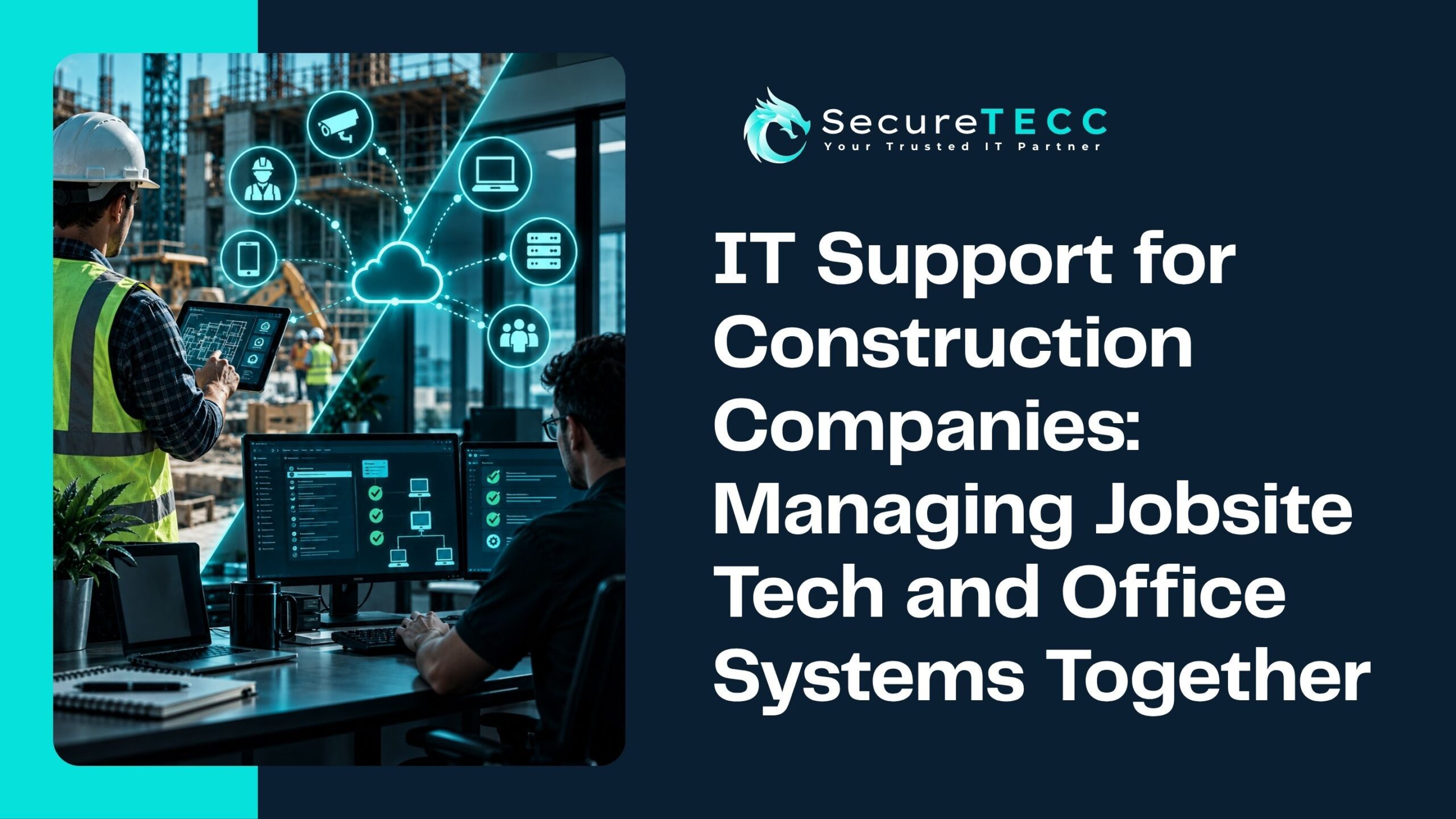
A superintendent standing in a half-framed building, trying to pull up the latest set of plans on a tablet that can’t hold a signal. Back at the office, someone’s manually re-entering numbers from a bid that was emailed as a PDF because the estimating software doesn’t talk to the accounting system. Multiply that across a handful of active jobsites, a rotating cast of subcontractors, and a small office team trying to keep it all straight — and “IT” starts looking a lot more complicated than a typical office setup.
Construction companies run on two very different environments at once: a physical jobsite with its own connectivity and hardware challenges, and an office trying to keep bids, budgets, and schedules organized behind it. Here’s what actually makes construction IT different, why the industry has become a bigger cybersecurity target than most owners realize, and what a setup built for how construction actually works looks like.
What Makes IT Different for a Construction Company?
Construction IT has to bridge two very different environments: a physical jobsite with limited, often temporary connectivity and rugged mobile hardware, and an office running project management, bidding, and accounting software. Add a rotating mix of subcontractors and field crews needing access to shared files, and construction ends up with a genuinely more complex — and more exposed — technology footprint than a typical office-only business.
Why Is Construction Increasingly a Ransomware Target?
Construction isn’t a low-priority target anymore — quite the opposite. According to threat intelligence firm GuidePoint Security, ransomware attacks against construction companies rose 44% year over year in the first quarter of 2026, moving the industry from the sixth to the fourth most-targeted sector for ransomware in a single year.
Part of what makes construction attractive to attackers is exactly what makes the industry hard to secure in the first place: projects involve numerous subcontractors and vendors who all need some level of access to shared files and systems, tight deadlines make a locked-out project schedule extremely costly, and many firms are still running older, less protected systems that haven’t kept pace with how digitized the industry has become.
What Does Reliable Jobsite Connectivity Actually Require?
A jobsite rarely has the stable, wired internet connection an office does — often it’s a temporary hotspot, a cellular connection, or whatever signal happens to reach a construction trailer. That connectivity needs to support real work: pulling up plans, submitting daily reports, video calls with the office, and syncing files back and forth. A properly set up jobsite generally needs a reliable primary connection with a backup failover option, so a single dropped signal doesn’t stop a crew from working, along with secure remote access (like a VPN) so field devices connecting from an open or temporary network aren’t exposing company data in the process.
How Do You Keep Blueprints, Bids, and Files in Sync Between Office and Field?
Version confusion is one of the most common, avoidable problems in construction IT — someone on-site working from an outdated set of plans because the latest revision never made it past the office inbox. Cloud-based file access solves this by giving both office staff and field crews a single, current source of truth, rather than relying on emailed attachments and hoping everyone’s looking at the same version.
This matters just as much for the business side: bids, budgets, and project management software often need to communicate with accounting systems, and a setup where that data has to be manually re-entered between disconnected tools is both slow and a common source of costly errors.
What About Tablets, Laptops, and Devices Actually Used on a Jobsite?
Devices used in the field face a different set of demands than an office laptop — dust, temperature swings, drops, and the simple reality that they’re not always in someone’s direct line of sight. Beyond ruggedized hardware suited to those conditions, device management matters just as much: knowing what devices are actually deployed, making sure they’re properly secured, and being able to remotely lock or wipe a device if it’s lost or stolen on a job site.
Why Do Subcontractors and Third-Party Access Create Extra Risk?
Construction projects are inherently collaborative — general contractors, subcontractors, architects, and vendors often all need some level of access to shared project data. Every one of those connections is also a potential entry point if it isn’t managed carefully. A subcontractor’s compromised email account, or an old vendor access credential nobody remembered to revoke after a project wrapped, can end up being the way an attacker gets in — even if your own systems were never directly touched.
What Should a Construction Company’s IT Setup Actually Include?
Bringing this together, a construction-ready technology setup generally needs:
- Reliable jobsite connectivity — primary and backup internet options, plus secure remote access for field devices
- Cloud-based file access — a single current version of plans, bids, and project files, accessible from both office and field
- Managed, secured field devices — properly configured tablets and laptops with the ability to remotely secure a lost or stolen device
- Layered cybersecurity — protection that accounts for the reality of subcontractor and vendor access, not just office workstations
- Backup and disaster recovery — scaled to actual project file sizes and the schedule-critical nature of construction work
What Might This Look Like for a Real Business?
Picture a general contractor running three active jobsites at once, with a project manager who splits time between a trailer and the office. Without reliable jobsite connectivity, submitting daily reports and pulling updated drawings becomes a daily frustration — and without cloud-based file sync, a subcontractor ends up framing a wall to an outdated spec because the latest revision sat unopened in someone’s inbox for two days. A construction company with the right setup avoids both problems entirely: the project manager works from the trailer as easily as from a desk, and everyone on-site is always looking at the current version of the plan.
How SecureTECC Approaches This
SecureTECC supports construction, logistics, and field service businesses that split time between jobsites and the office — exactly the operating pattern this article describes. That includes Network Design & Administration built for reliable field connectivity, Remote & On-Site Support so issues get resolved whether someone’s at a desk or a jobsite trailer, and Backup & Data Recovery sized to real project files rather than a generic small-business plan.
Frequently Asked Questions
Can a small construction company really justify investing in dedicated IT support?
Given how targeted the industry has become and how disruptive jobsite downtime or a locked-out project schedule can be, the cost of getting this wrong — lost time, missed deadlines, a ransomware incident — usually outweighs the cost of a properly set up system, even for smaller firms.
What’s the best way to handle internet access at a temporary jobsite?
A cellular-based connection with a backup failover option is a common, practical solution for temporary sites — the key is having redundancy, so a single dropped signal doesn’t stop work entirely.
How do we manage subcontractor access to our project files safely?
Grant access scoped specifically to what each subcontractor actually needs, rather than broad access to everything, and make sure that access is revoked as soon as their involvement in the project ends — not left open indefinitely.
Do rugged tablets and laptops really make a meaningful difference on a jobsite?
Yes — standard consumer devices tend to fail faster under dust, temperature extremes, and drops that are routine on an active jobsite, making ruggedized hardware a reasonable investment rather than an unnecessary upgrade.
What happens if a jobsite device with project data is lost or stolen?
With proper device management in place, a lost or stolen device can typically be remotely locked or wiped, protecting the data it contained — without that management in place, there’s often no way to do anything once the device is gone.
The Bottom Line
Construction runs on two connected but genuinely different environments — the jobsite and the office — and technology built for only one of them leaves real gaps in the other. Getting connectivity, file access, device security, and backup right isn’t about adding complexity to a project. It’s about making sure your technology actually matches how construction work moves from bid to blueprint to finished build.
Want a second opinion on whether your current setup could handle your busiest week across every active jobsite? Book a free consultation with SecureTECC Solutions — no pressure, no obligation.