“We should just move everything to the cloud.” It’s a sentence that comes up in a lot of planning meetings — usually after a server crash, a new hire who can’t get remote access working, or a competitor mentioning how easy their setup is. The idea makes sense. The execution is where things get complicated.
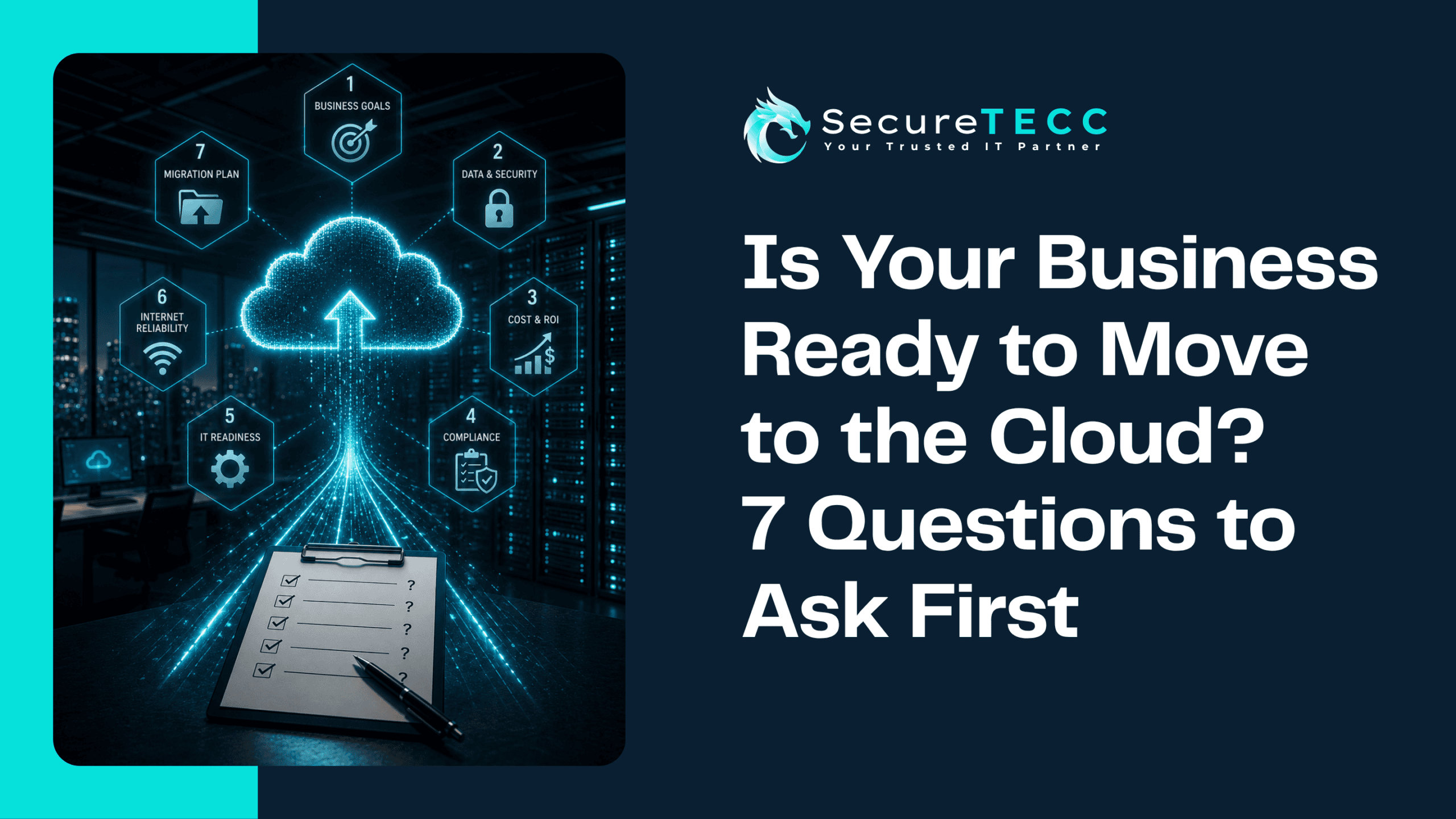
Cloud migration isn’t wrong for most businesses — it’s genuinely the right move for a lot of them. But “move to the cloud” isn’t one decision, it’s a dozen smaller ones about what moves, when, and how it’s secured once it gets there. Before you commit to a timeline or a provider, these are the seven questions worth answering first.
Is My Business Ready to Move to the Cloud?
Your business is likely ready if you can clearly name what problem the move is meant to solve, know which specific systems and data need to move, have internet bandwidth that can support cloud-based work, and have a plan for who manages security once everything’s off your local servers. If you can’t answer those with confidence yet, that’s not a reason to avoid the cloud — it’s a sign to plan before you migrate.
1. What Exactly Are You Trying to Solve?
“Everyone else is doing it” isn’t a migration plan. Are you trying to reduce the cost of aging server hardware? Support employees who split time between the office and home? Stop worrying about who’s responsible for backups? Each of those points toward a different priority — and a different order of what should move first.
2. Which Systems and Data Actually Need to Move?
Not everything needs to move on day one, and some things may not need to move at all. Start by listing what you’re actually running: email, file storage, line-of-business software, accounting systems, industry-specific applications. Some of it may already be cloud-based without you fully realizing it. Other pieces — an old, deeply customized piece of software, for instance — may need a real plan rather than a simple lift-and-shift.
3. Can Your Internet Connection Actually Handle It?
Once your files and applications live in the cloud, your internet connection stops being a convenience and becomes the thing your entire business runs through. A connection that felt perfectly fine for browsing and email can become a real bottleneck once your team is pulling large files or running cloud-based software all day. This is worth testing honestly before migration, not discovering the hard way afterward.
4. Who’s Responsible for Securing It Once You’re There?
This is the question businesses skip most often, and it’s arguably the most important one. Cloud providers secure the infrastructure underneath their platform — the data centers, the physical servers — but configuring things correctly on your end (access permissions, who can see what, how accounts are protected) is your responsibility, not theirs.
That gap matters more than most business owners assume. Verizon’s 2026 Data Breach Investigations Report found that cloud misconfiguration — settings left insecure by the organization itself, not a flaw in the cloud provider’s platform — now accounts for a meaningfully larger share of breaches than it did just a couple of years ago. In other words, the biggest cloud security risk usually isn’t the cloud. It’s how it’s set up.
5. What Happens to Your Data During and After the Move?
A migration plan should answer a few concrete questions: What gets backed up before anything moves, in case something goes wrong mid-transfer? How is data verified as complete and accurate once it’s in its new home? And once the migration is done, what’s the actual, ongoing backup plan — because “it’s in the cloud” isn’t automatically the same thing as “it’s backed up.”
6. What Will It Actually Cost — Not Just the Subscription Fee?
Cloud pricing is usually easy to find. What’s less obvious upfront is everything around it: the cost of the migration itself, any software that needs updating or replacing to work well in a cloud environment, and ongoing monthly costs that can shift as your team or data storage grows. None of this means cloud is a bad financial move — it’s often genuinely cheaper over time than maintaining aging hardware — but it’s worth budgeting for the full picture, not just the sticker price.
7. Do You Have a Plan If Something Goes Wrong?
Even well-planned migrations can hit snags — a piece of software that doesn’t behave the same way in its new environment, a longer-than-expected transfer window, an unexpected compatibility issue. Having a rollback plan and a clear sense of what “done” actually looks like before you start makes those bumps a manageable part of the process instead of a crisis.
What Does “Cloud Ready” Actually Look Like in Practice?
We’ve worked with businesses that came to us after attempting a rushed, self-managed migration — usually because a server was failing and the move felt urgent. The pattern is familiar: email and files got moved quickly, but nobody revisited the default security settings, and a line-of-business application that didn’t play well with the new setup ended up needing a redo a few months later.
The businesses that go through this smoothly usually aren’t the ones with the biggest budgets — they’re the ones who took the time to answer these seven questions honestly before committing to a date.
How SecureTECC Approaches This
Cloud migration touches several parts of a business’s technology at once, which is why it’s rarely a one-person, one-weekend project. SecureTECC’s IT Strategy & Consulting services help map out what should move and in what order, System Setup & Integration handles the actual transition, and Backup & Data Recovery ensures nothing is at risk mid-move or afterward. The goal is a plan built around your actual systems, not a generic checklist applied to every business the same way.
Frequently Asked Questions
Is cloud computing actually cheaper than running our own servers?
Often, yes — especially once you factor in hardware replacement, maintenance, and the staff time spent managing physical servers. But it depends on your specific setup, so it’s worth comparing real numbers rather than assuming either option is automatically cheaper.
How long does a typical small business cloud migration take?
It varies widely based on how much is moving and how complex your existing systems are — some businesses complete a focused migration (like email and file storage) in a few weeks, while a full infrastructure move can take considerably longer if done properly.
Do we need to move everything to the cloud at once?
No, and for most businesses, a phased approach is actually safer — moving lower-risk systems first, confirming everything works as expected, and then tackling more complex or business-critical systems with lessons already learned.
What’s the biggest mistake businesses make during cloud migration?
Treating security configuration as an afterthought. Moving data to the cloud without deliberately reviewing access permissions and security settings is one of the most common — and most preventable — causes of cloud-related breaches.
Can we move back to on-premise servers if the cloud doesn’t work out?
It’s possible, but it’s a real project, not a quick undo — which is exactly why having a clear rollback plan and realistic expectations before migrating matters so much.
The Bottom Line
Moving to the cloud isn’t a single decision — it’s a series of smaller ones about what moves, how it’s secured, and what happens if something doesn’t go as planned. Answering these seven questions honestly before you start is what separates a smooth transition from a redo six months later.
Not sure where your business actually stands on cloud readiness? Book a free consultation with SecureTECC Solutions and we’ll walk through your current setup together — no pressure, no obligation.