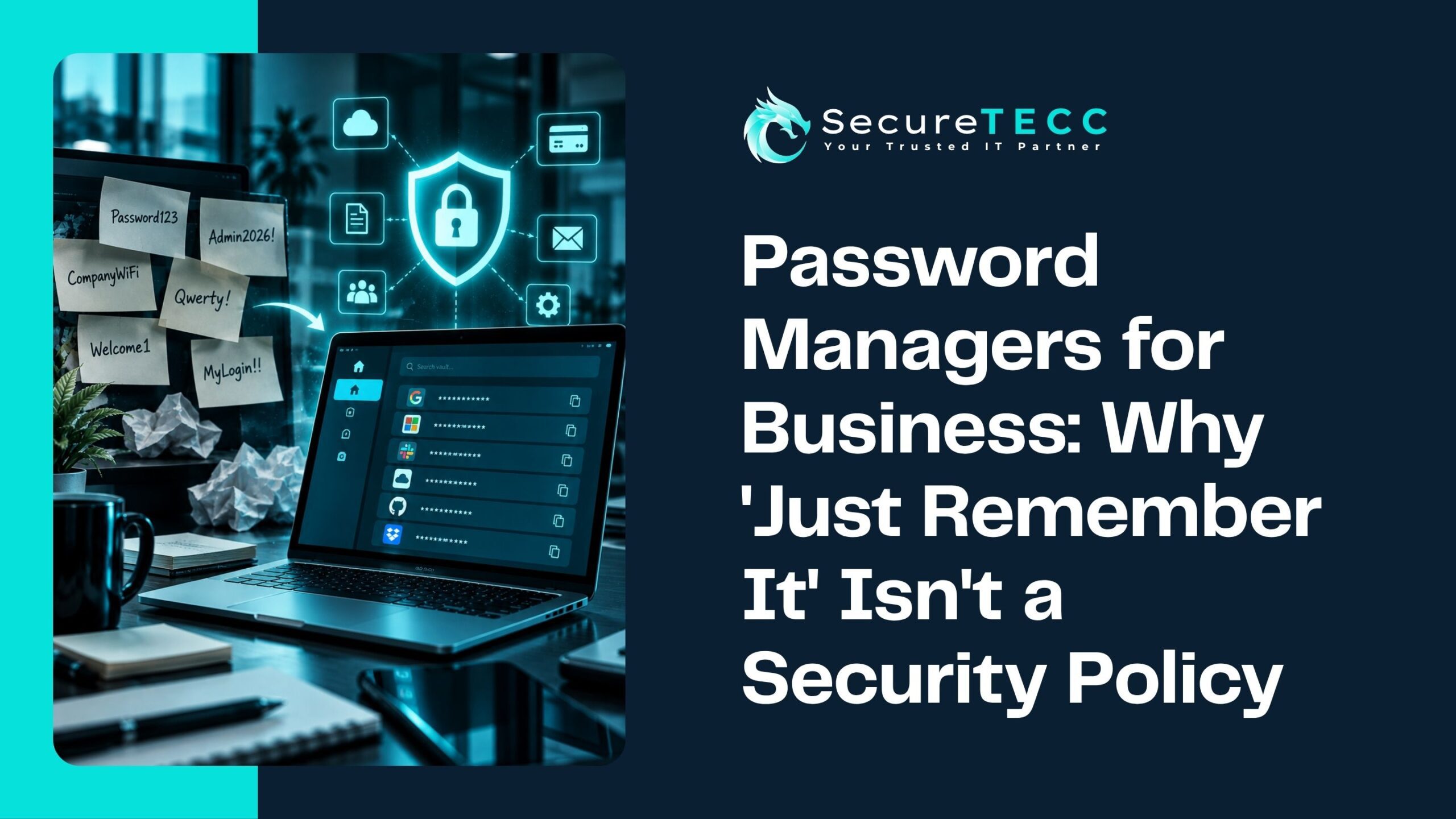
Open a drawer in almost any small office and there’s a decent chance you’ll find it: a sticky note, an old notebook, or a shared spreadsheet titled something like “passwords — DO NOT DELETE.” It’s not because anyone’s being careless. It’s because remembering dozens of unique, complex passwords without any system in place is genuinely not something the human brain is built to do well.
“Just remember it” or “use a strong password” isn’t a real security policy — it’s a hope. Here’s why that approach quietly breaks down at scale, what a real business password manager actually does differently, and what to look for if your business doesn’t have one yet.
Why Doesn’t “Just Remember It” Work for a Business?
It doesn’t work because the number of passwords a single employee now needs has grown far beyond what memory can reliably handle — and when people can’t remember unique passwords for every account, they predictably fall back on reuse, simplification, or writing them down insecurely. A business password manager removes that impossible expectation entirely by handling generation, storage, and secure sharing automatically.
How Many Passwords Does an Employee Actually Have to Deal With?
More than most business owners probably assume. NordPass’s 2026 password research found the average person now manages around 67 work-related passwords — and that’s before counting personal accounts. Expecting someone to create and remember dozens of genuinely unique, complex passwords, without any system to help, isn’t a realistic expectation. It’s a setup for exactly the shortcuts that cause security problems.
What Actually Happens When Employees Solve This Themselves?
Without a real system in place, people find their own workarounds — and those workarounds are consistently the same handful of risky habits:
- Password reuse — using the same or a slightly modified password across multiple accounts, so one leaked credential can unlock several systems
- Predictable patterns — a base password with a number or symbol swapped in, which is far easier to guess or crack than it feels
- Insecure storage — sticky notes, unencrypted spreadsheets, or notes apps, all visible to anyone with physical or digital access
- Shared logins with no accountability — one login shared verbally or in a group chat, with no record of who actually has access
None of this is a character flaw on anyone’s part. It’s simply what happens when people are asked to manage more credentials than they can realistically remember, without any tool designed to help.
What Is a Business Password Manager, Actually?
A password manager is an encrypted digital vault that generates, stores, and autofills strong, unique passwords for every account — so employees never have to remember or manually type most of their credentials at all. Instead of memorizing dozens of passwords, they remember one strong master credential (usually paired with multi-factor authentication) that unlocks the vault itself.
How Is a Business Version Different From a Personal One?
Personal password managers focus on individual convenience. Business versions add a layer built specifically for managing a team:
- Secure credential sharing — team members can use a shared login without ever actually seeing the password itself
- Admin oversight — IT or leadership can see which accounts exist and enforce password policies across the whole team
- Audit logs — a record of who accessed which credential and when, useful for both security and accountability
- Instant deprovisioning — when someone leaves the company, their access can be cut off immediately across every shared credential, rather than requiring someone to remember and manually change each one
What Happens When an Employee Leaves Without This in Place?
This is one of the more common, quietly serious gaps in businesses without a real system. An employee leaves, and unless someone specifically remembers to change every shared password they had access to — the social media login, the shared vendor portal, the accounting software — that access often just… continues. Nobody revoked it because nobody had a clear, centralized way to see everything that person could reach in the first place.
Isn’t a Password Manager Itself a Single Point of Failure?
It’s a fair question, and the honest answer is that a password manager concentrates risk into one place — which is exactly why the master vault itself needs to be protected properly, with a strong, unique master password and multi-factor authentication enabled. Reputable business password managers use end-to-end encryption, meaning even the provider itself can’t see your stored passwords. Properly configured, a password manager is a significant net improvement over the alternative — dozens of separately weak, reused, or insecurely stored passwords scattered across an organization.
What Should a Business Actually Look for in a Password Manager?
Not every option is built the same way. Worth prioritizing:
- Secure sharing without exposing passwords — team members can use shared logins without seeing the actual credential
- Centralized admin controls — visibility into who has access to what, across the whole organization
- Fast deprovisioning — the ability to instantly cut off an employee’s access to every shared credential the moment they leave
- Strong encryption standards — end-to-end encryption, so credentials aren’t readable even by the provider
- Multi-factor authentication support — protecting the vault itself, not just individual accounts
What Might This Look Like for a Real Business?
Picture a 12-person business relying on a shared spreadsheet of logins — social media, a few vendor portals, a shared email inbox — passed along informally as people joined the team over the years. When a former employee’s account was still active six months after they left (nobody had gotten around to changing the passwords they knew), it took a scramble to even figure out everything that person could still access. A business password manager would have made that a five-minute task: revoke access centrally, done, with a clear record of exactly what they’d had access to in the first place.
How SecureTECC Approaches This
SecureTECC’s Cybersecurity services include helping businesses implement and properly configure password management as part of a broader access-control strategy — because a password manager is only as strong as how it’s set up and maintained, alongside practices like MFA and regular access reviews.
Frequently Asked Questions
Are password managers actually safe to use?
Reputable business password managers use strong encryption, meaning your stored credentials aren’t readable even by the provider itself — when paired with a strong master password and multi-factor authentication, they’re considered significantly safer than the common alternatives, like reused or insecurely stored passwords.
What happens if the master password is forgotten or compromised?
Most business password managers include account recovery options managed through an admin, and enabling multi-factor authentication on the vault significantly reduces the risk of a compromised master password being enough on its own to gain access.
Is a browser’s built-in password saving feature good enough for a business?
It lacks the admin controls, audit logs, and secure team-sharing features a dedicated business password manager provides — for a business managing shared logins across a team, a browser’s basic password saving isn’t really a substitute.
How hard is it to get a whole team to actually adopt a password manager?
Adoption tends to go more smoothly than expected, since the tool actually reduces daily friction for employees — autofill and one master credential is less work than remembering dozens of passwords, not more.
Does a password manager replace the need for multi-factor authentication?
No — they solve different problems and work best together. A password manager ensures strong, unique credentials exist in the first place; MFA protects those credentials even if one is somehow compromised.
The Bottom Line
“Just remember it” was never a real security policy — it was always a hope that quietly fell apart the moment employees had more accounts than they could realistically keep track of. A properly configured business password manager doesn’t just improve security; it removes an impossible daily burden from your team in the process.
Not sure whether your business’s current password habits would hold up to a closer look? Book a free consultation with SecureTECC Solutions — no pressure, no obligation.