


TL;DR: A good IT budget isn’t about spending less or spending more. It’s about spending on purpose: knowing what you own, planning for what wears out, protecting what you can’t afford to lose, and leaving some room for the unexpected.
Every year around this time, the same two things happen. A laptop that was “fine” in January starts freezing in October, and someone asks what the technology budget looks like for next year. The honest answer at many small businesses is that there isn’t one. IT spending shows up as a string of surprises: a failed server, a license renewal nobody remembered, an emergency purchase on a company card.
Surprises cost more than plans do, because emergencies are bought at full price and on a deadline. The good news is that you don’t need an IT background to build a sensible budget. This guide walks through the categories to include, a simple way to estimate each one, and the places where businesses most often overspend or underspend.
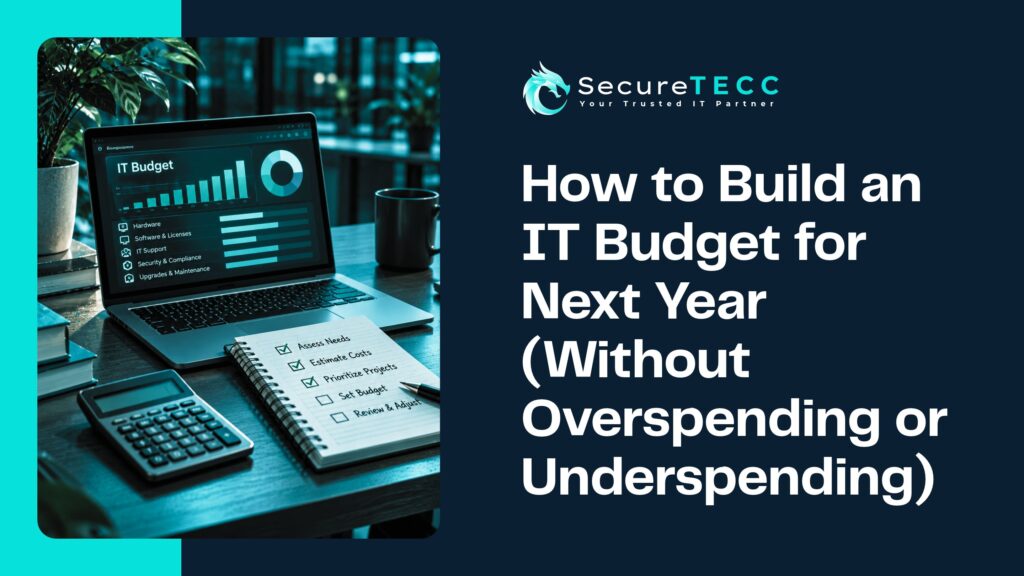
To build an IT budget for next year, list what you currently spend and what you own, then budget for four things: ongoing support and licenses, scheduled equipment replacement, security and backups, and a reserve for the unexpected. Review the plan against your business goals, then check it again each quarter.
Why Does a Small Business Need a Formal IT Budget?
Without a budget, IT decisions get made in a crisis, and crisis decisions tend to be expensive and short-sighted. A planned budget gives you three things: fewer emergency purchases, a clear view of what technology really costs per employee, and room to say yes to a good idea when one comes along, such as a new location or a new system.
It also forces a useful conversation. Which systems does the business truly depend on? What would an outage cost you per day? Those answers tell you where spending is protecting something valuable and where it’s just habit.
Where Do I Start With Next Year’s IT Budget?
Start with an inventory, not a number. Before you decide what to spend, find out what you have:
- Devices: every computer, phone, tablet, printer, and network device, with its age
- Software and subscriptions: what you pay for, who uses it, and when it renews
- Services: internet, phone, email, website hosting, and any outside IT support
- Last year’s actual spending: including the emergency purchases that weren’t in any plan
Last year’s real spending is the best starting point you have. Add up what you paid, sort it into categories, and note which items were planned and which were surprises. The surprises tell you where your budget needs a buffer or where a recurring problem needs a proper fix.
What Should an IT Budget Include?
- Support and maintenance. Day-to-day help, monitoring, and updates, whether that’s an outside provider, an in-house person, or a mix.
- Software and licenses. Email, productivity tools, line-of-business applications, and security software. These are mostly recurring, so check renewal dates and remove anything nobody uses.
- Hardware replacement. Computers, network equipment, and printers wear out on a predictable schedule, so treat replacement as a planned annual cost.
- Security. Multi-factor authentication, email filtering, endpoint protection, and staff awareness training.
- Backup and recovery. Storage, monitoring, and periodic restore tests.
- Connectivity and network. Internet service, Wi-Fi, firewalls, and cabling for any planned moves or expansions.
- Projects. One-time work like a migration, a new office setup, or a new system.
- A contingency reserve. Money set aside for the item that nobody saw coming.
How Do I Plan for Hardware Replacement Without a Big Surprise?
Spread it out. If you replace every computer at once, you get one painful year and several quiet ones. A rolling schedule is easier to afford and easier on your staff.
The math is simple. Suppose you have 20 computers and plan to replace each one every four years. That means replacing about five a year. Put the cost of five machines in the budget every year, and old equipment retires before it starts failing. Adjust the cycle to match how your team uses its machines; a shared reception computer may last longer than a laptop that travels every week.
Also check for software or operating systems approaching the end of their support period. When a vendor stops issuing security updates, the safe choices are to upgrade or replace, so those dates belong on your calendar before they land in your budget.
How Much Should I Spend on Security and Backups?
Enough to match what you’d lose. The FBI’s Internet Crime Complaint Center reported about $20.9 billion in reported losses for 2025, a 26% increase over the previous year (Help Net Security). Smaller companies are not exempt. Verizon’s 2026 breach report, as summarized by the Cyber Readiness Institute, found that 69% of small and mid-sized businesses refused ransom demands because they had reliable backups (Cyber Readiness Institute).
That second figure is a good reminder of where budget dollars do the most work. A few questions help set the right level:
- If email went down for two days, what would that cost?
- If client or financial records were locked or lost, how long could you operate?
- When did you last restore a file from backup to prove it works?
If you can’t answer those quickly, security and backup deserve a clear line in the budget. They tend to be the line items that businesses cut first and regret most.
Where Do Businesses Overspend on IT?
- Unused licenses. Subscriptions for people who’ve left or tools nobody opens. An annual review usually finds some.
- Overlapping tools. Two products doing the same job because different people bought them at different times.
- Buying more than the job needs. A powerful workstation for someone who uses email and a spreadsheet.
- Emergency repairs on aging equipment. Keeping a failing device alive often costs more than replacing it on schedule.
Where Do Businesses Underspend on IT?
- Backups that are never tested. Having a backup and having a recoverable backup are different things.
- Delayed replacements. Old equipment slows people down every day, which is a cost even if it never appears on an invoice.
- Security. Skipping the basics saves money until the first incident.
- Documentation. If only one person knows how your systems are set up, that’s a risk to your budget and your operations.
- No reserve. Every plan meets something unexpected, and without a reserve it lands on top of everything else.
Should We Budget for In-House IT or an Outside Provider?
It depends on size and complexity, but the decision belongs in the budget conversation. A full-time hire brings salary, benefits, and tools, and still leaves a gap when that person is out. An outside provider spreads expertise across more people at a more predictable cost. Many small businesses find outsourcing the more practical route, and some choose a hybrid with one internal contact and a provider behind them. Whichever you choose, put the full cost in the budget, not just the headline number.
How Often Should I Review the Budget?
Quarterly is a good rhythm. Compare actual spending to the plan, note anything that came up unexpectedly, and adjust. A short quarterly review keeps the budget useful and prevents the “we never looked at it again” problem.
How Can SecureTECC Help With IT Planning?
SecureTECC Solutions works with small and mid-sized businesses across Ventura, Los Angeles, and Santa Barbara counties that want expert IT without a full-time IT department. IT strategy and consulting is aimed at helping you line up technology with long-term goals and plan for growth, which is the same thinking a good budget needs. Day to day, managed IT services, cybersecurity, and backup and data recovery cover the recurring items that make up much of an IT budget. Requests come in through around-the-clock support intake, where they’re received, triaged, and acknowledged at any hour.
Frequently Asked Questions
How much should a small business budget for IT?
There’s no single right percentage, because it depends on your industry, how much you rely on technology, and how old your systems are. A better method is to build the number from the bottom up: support, licenses, replacement, security, backup, and a reserve. Compare that total to last year’s actual spending to see whether it’s realistic.
What is the most commonly missed item in an IT budget?
Planned hardware replacement is the one that most often gets left out. Computers and network equipment wear out on a predictable schedule, so it works better to set aside a small amount every year than to face several purchases at once.
Should IT be a fixed monthly cost or paid as needed?
A predictable monthly cost makes planning much easier, especially for support and security. Pay-as-you-go can look cheaper in a quiet year, but it makes expenses harder to forecast. Many businesses use a fixed monthly service for the basics and budget separately for projects.
When should we start planning next year’s IT budget?
Ideally two to three months before your fiscal year starts. That gives you time to review what you own, get quotes for any projects, and spot renewals coming due. If your fiscal year follows the calendar, now is a good time to begin.
How do we budget for cybersecurity if we’re a small team?
Start with the essentials: multi-factor authentication, email filtering, endpoint protection, tested backups, and short staff training. These cover many of the most common ways small businesses are attacked. Add more as your data, clients, and compliance needs grow.
The Bottom Line
A good IT budget isn’t about spending less or spending more. It’s about spending on purpose: knowing what you own, planning for what wears out, protecting what you can’t afford to lose, and leaving some room for the unexpected.
If you’d like a second opinion on what next year should look like, SecureTECC can review your current setup and help you sort the must-haves from the nice-to-haves. Book a free consultation and bring last year’s invoices.